
This is the whole job: a person rings, you find them a time, and they turn out to be new. Nine steps, most of them a single click, and the slot you picked is never given up along the way.
Open the diary
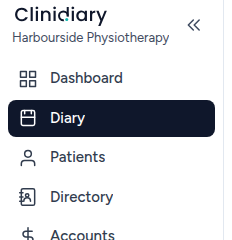
Diary is the second item in the left rail, under Dashboard.
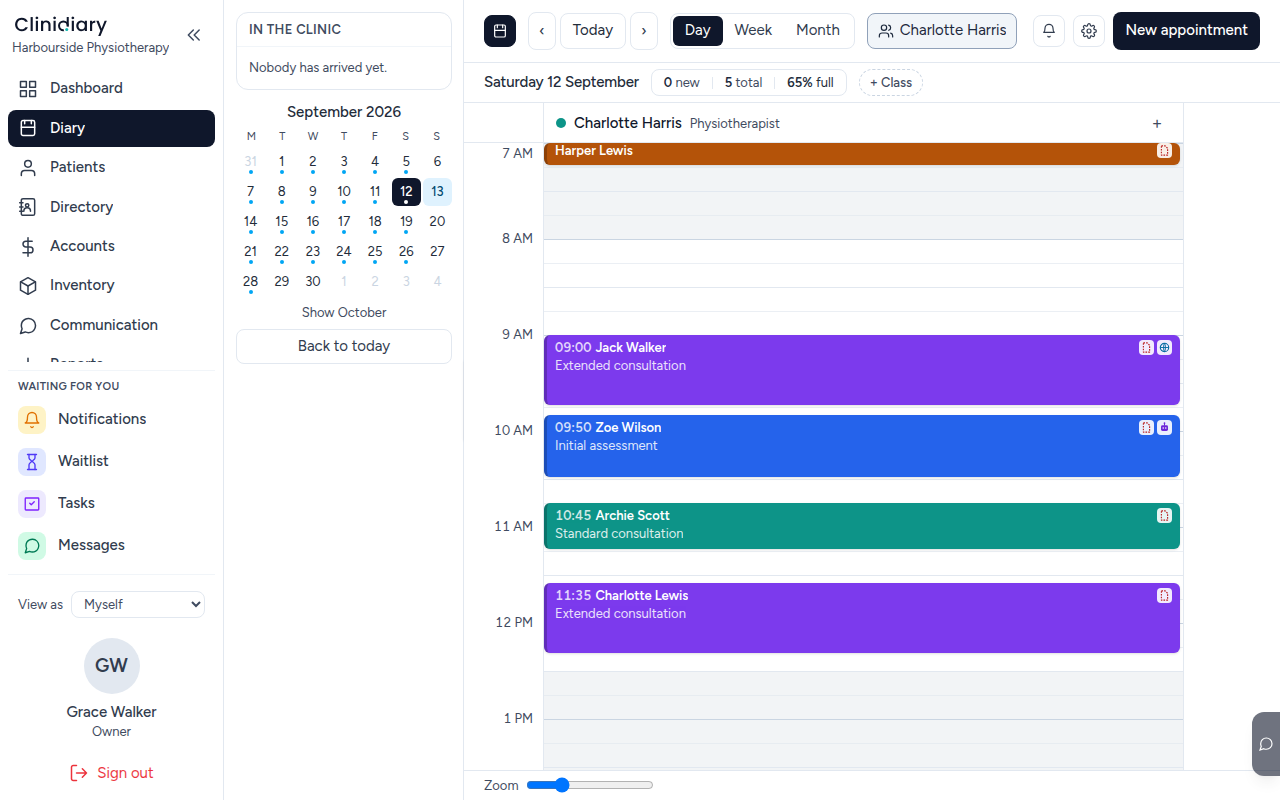
It opens on today, one column per practitioner who is working.
Double-click the time you want
Anywhere empty, in the column of the practitioner who will see them. The time you double-click is the time the appointment starts — four o'clock here.
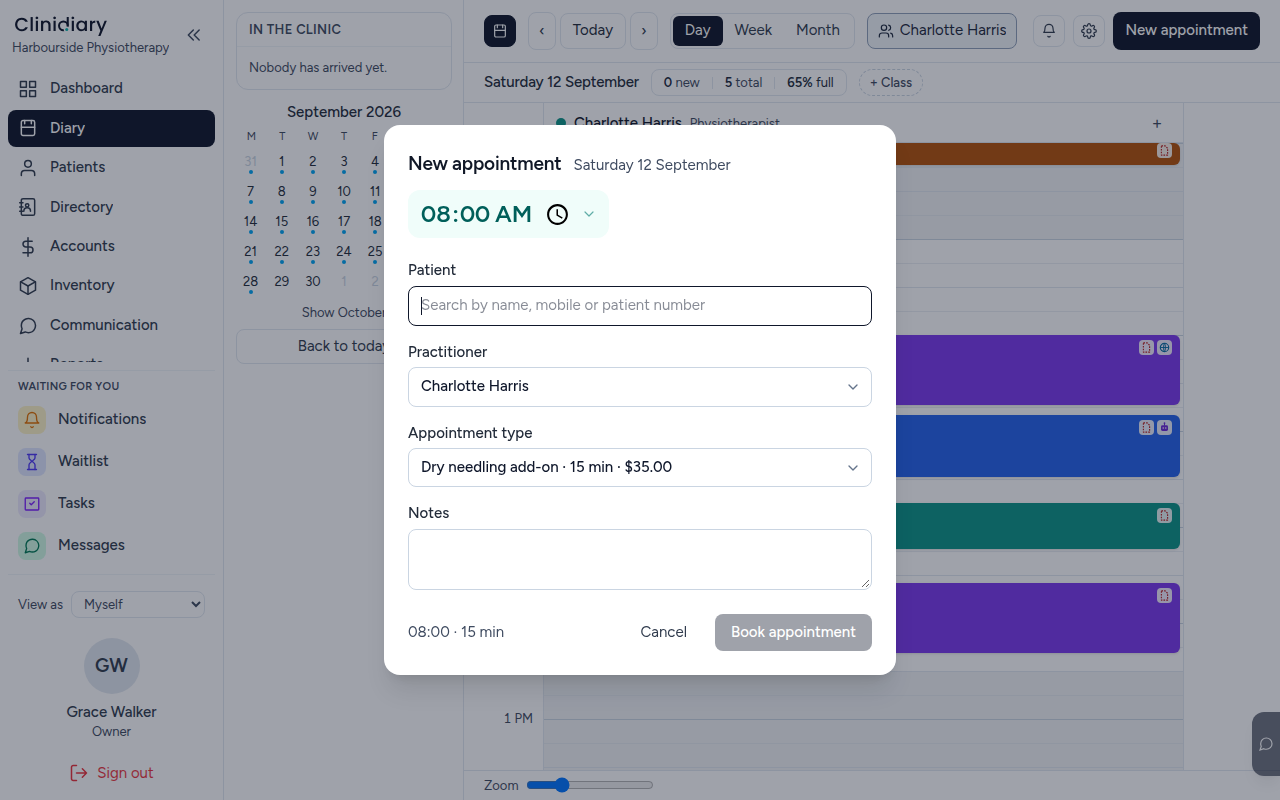
You can still change the time, the practitioner and the service; double-clicking only saves you setting them.
Type their name
The Patient box searches by name, mobile or patient number as you type. Type the name of somebody the clinic has never seen and it says so.
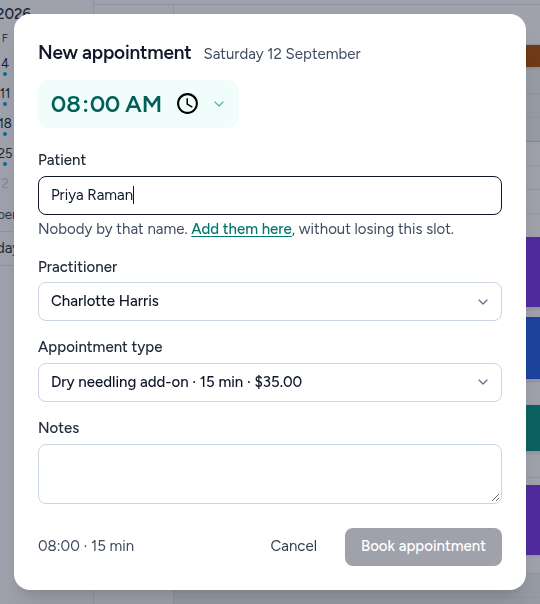
Read the second half of that sentence, because it is the point of this page:

Add them here
The details open beside the booking rather than on top of it. The name you already typed is split into first and last and carried across, so you are not typing it twice.
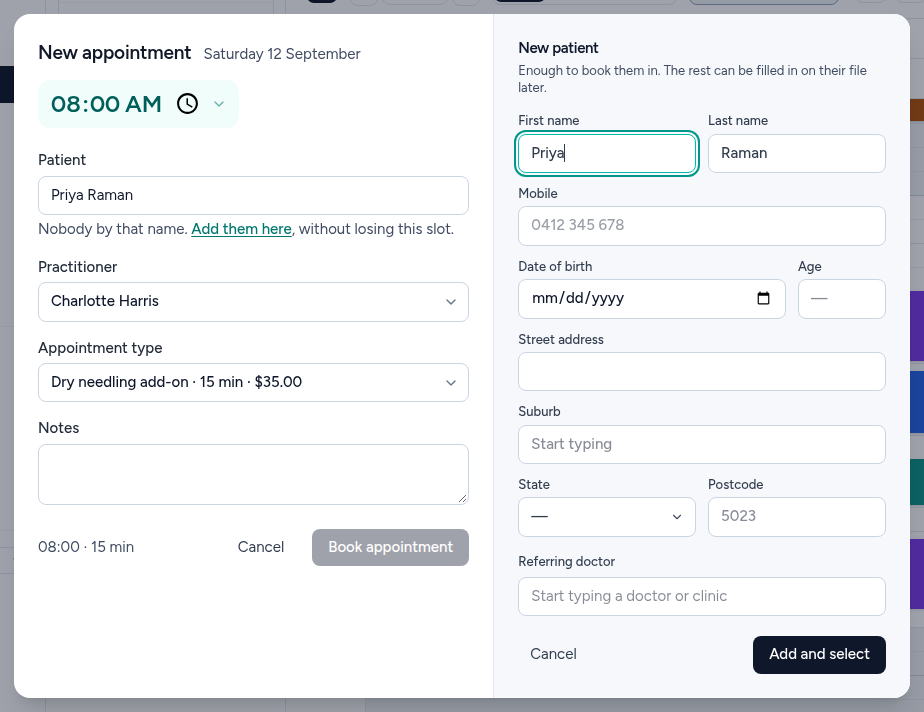
Enough to book them in. That is the whole requirement — a name. Everything else on this panel can be filled in later on their file, and most of it usually is.
Fill in what you have
A mobile and a date of birth are worth getting on the phone call, because they are what the rest of the software needs:
- Mobile — reminders and two-way texts go here. Without it, the booking is silent.
- Date of birth — the age fills itself in beside it, and the age is what decides concession pricing and what a health fund will accept.
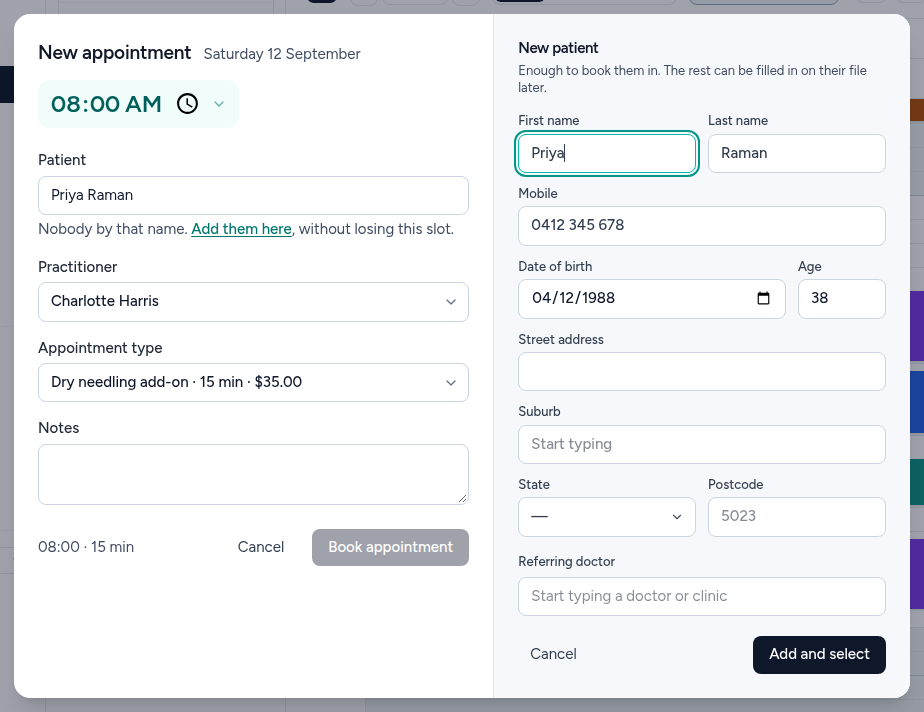
Address, suburb and referring doctor are worth asking for if the person is still on the phone, and are no trouble to add afterwards if they are not.
Add and select
One button. It creates the patient, puts them in the booking you started, and leaves you exactly where you were.
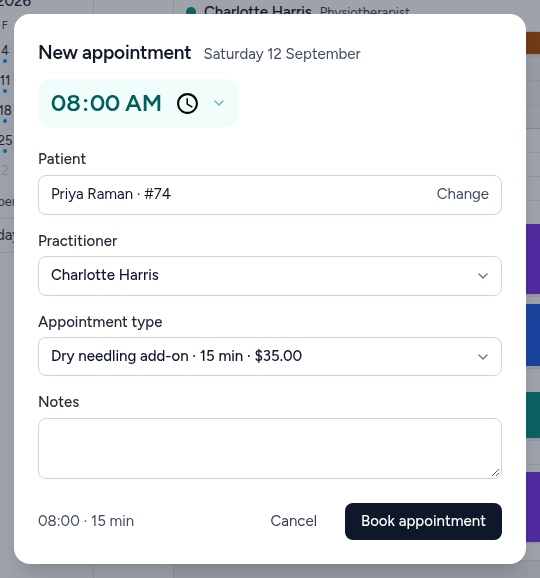
Book the appointment
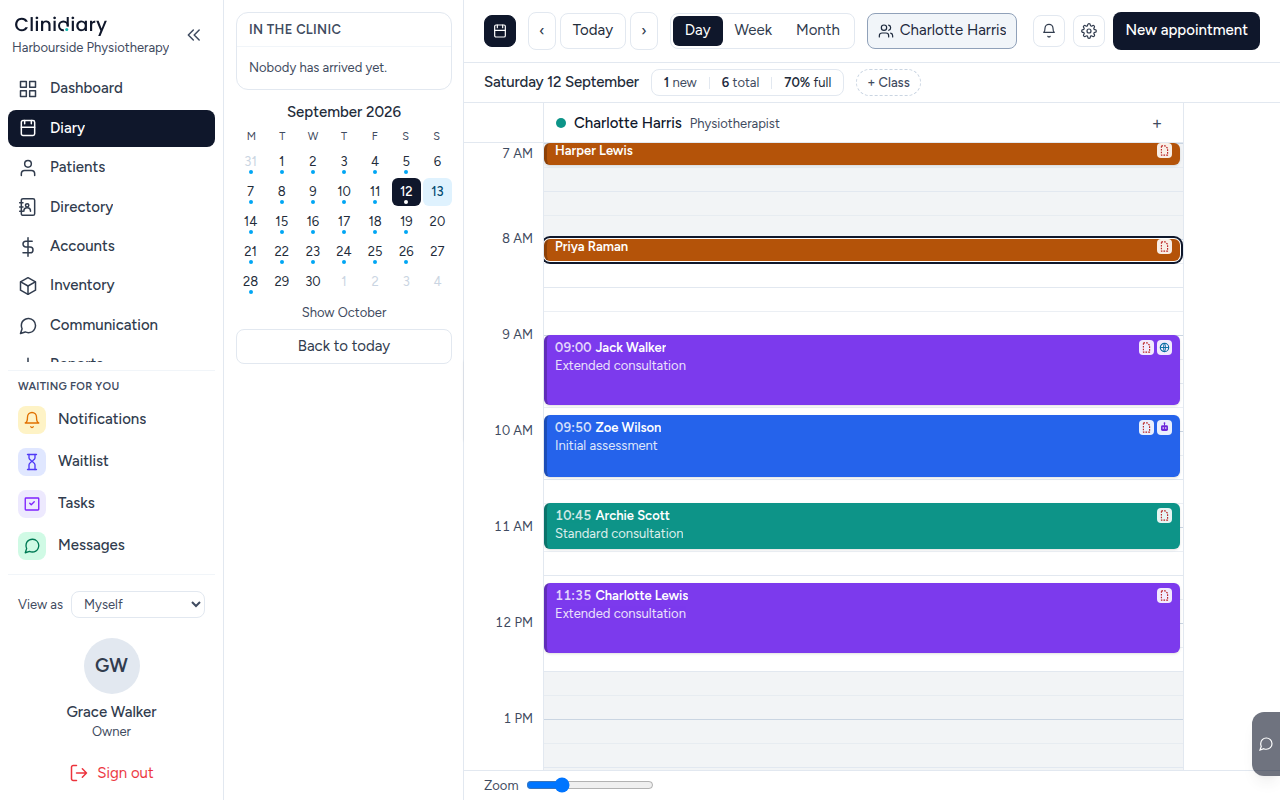
The day's counter goes up by one, and the person now has a file: notes, invoices, letters and their history all hang off the record you just made.
The other way in
If somebody is not booking — a walk-in you are recording after the fact, or a list you are typing up from paper — Patients → Add is the same form without a diary slot attached to it. Use whichever matches what you are actually doing.
What this will not let you do
Two names and one person is the expensive mistake here, and the software cannot tell them apart for you. Before adding somebody, let the search do its work: try the mobile number, and try the first three letters of the surname rather than the whole thing. Ryan and Ryna are one patient with two files and two balances, and merging them afterwards is a job.