
Every day: four questions
The Clinidiary dashboard answers the daily questions the moment you sign in:
| Card | The question it answers |
|---|---|
| Money in today | What came in, split by cash, UPI and card |
| Billed and collected | Are we being paid for the work we do? |
| Not yet invoiced | Which visits happened and were never billed? |
| Utilisation | Are we selling the time we pay our physios for? |
Not yet invoiced alone pays for the software in many clinics. Visits that were done and never billed are money you have earned and not collected.
Every month: the reports that matter
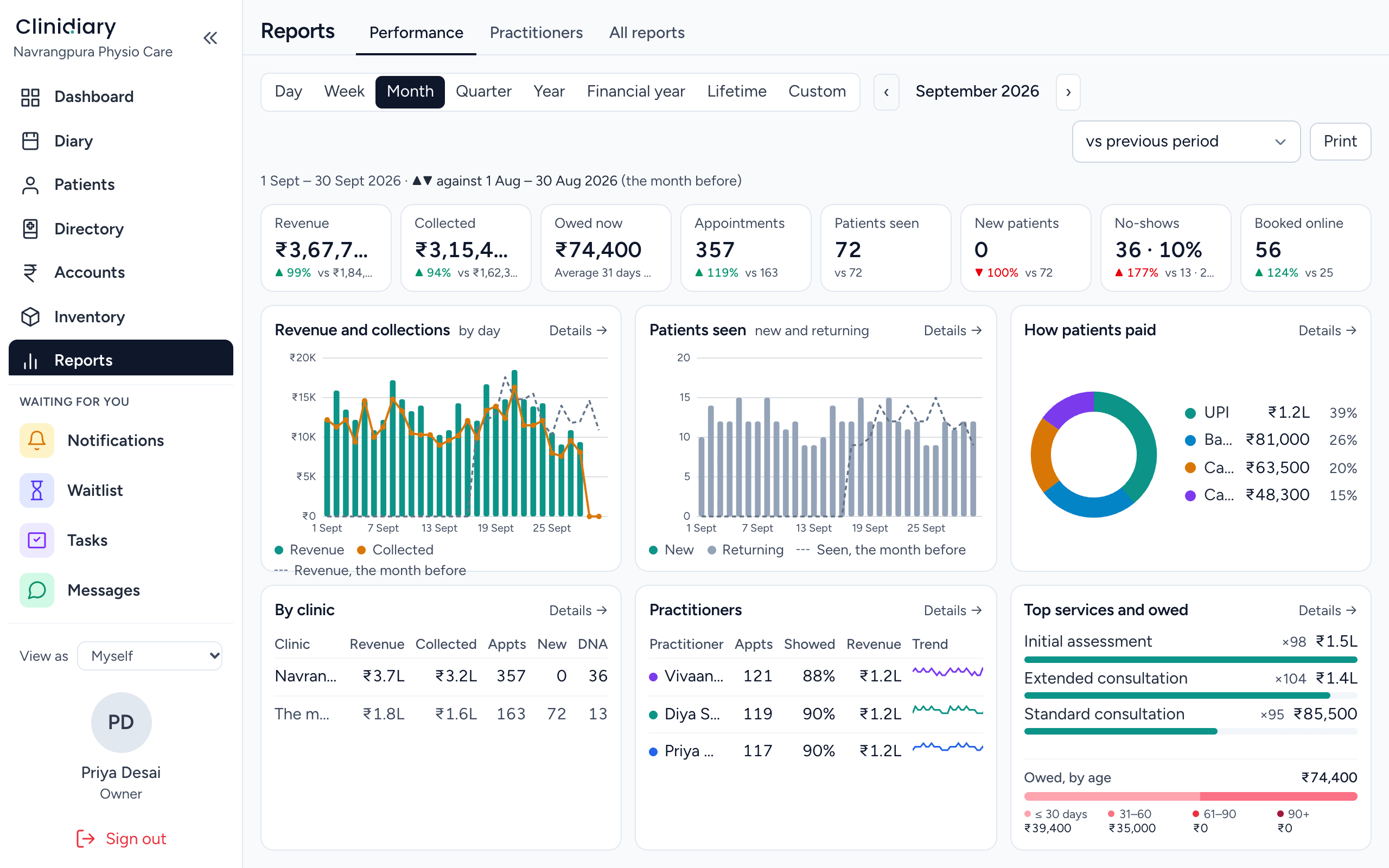
Under Reports → All reports, choose any day, week, month, quarter or financial year, then step back through earlier periods. The dates stay the same as you move from report to report.
Money
- Revenue: what you billed, by service and by physio.
- Banking / daily takings: what came in each day, by payment method, for matching with your bank.
- Payments, refunds and discounts: where money came from and where it went back.
- Ageing debts: who owes you, and for how long.
- Uninvoiced bookings: visits not yet billed.
- Packs: packages sold and sessions used. See treatment packages.
Patients and visits
- Booking statistics and Occupancy: how full the diary was.
- Cancellations and non-attendance: who cancelled, who did not come, and why. See how to reduce no-shows.
- Last attendances: patients who have not been back for a while, worth a call.
- Client statistics and Birthdays.
- Class statistics, if you run group classes.
Where patients come from
- How they found us and Booking sources: Google, Instagram, a friend, a doctor.
- Referrers and sources and Referral values: which doctors send you the most patients, and the value of what they send. See doctor referrals and letters.
Clinical quality
- Treatment note completion: which visits still have no signed note.
- Cases and Discharges: episodes of care opened and closed.
Each physio's own numbers
Most reports can be cut by physiotherapist. You can see each physio's visits, revenue and cancellations, which helps with fair incentives and with spotting who needs support. Physios can see their own figures too.
Each branch
With more than one branch, the reports that make sense by branch can be cut to one branch, or read for the whole practice. See multi-branch physiotherapy clinic software.
Looking ahead: projected earnings
Projected earnings looks forward instead of back. It shows what the bookings already in your diary will bill from today to the end of the period you choose. It is a quick way to see whether next month is filling up.
Reports on your letterhead
Print or save any report on your clinic's letterhead for a partner meeting, your CA or a bank loan application.
Frequently asked questions
What reports should a physiotherapy clinic owner look at?
Daily: money in, unbilled visits and utilisation. Monthly: revenue, occupancy, cancellations, each physio's figures and where new patients came from.
Can I see revenue by physiotherapist?
Yes. Revenue and most other reports can be cut by physiotherapist.
Can I see which doctors refer the most patients?
Yes. The referrers and referral values reports show who sends you patients and the value of those referrals.
Can I see reports for one branch?
Yes. Reports that make sense by branch can be cut to one branch.